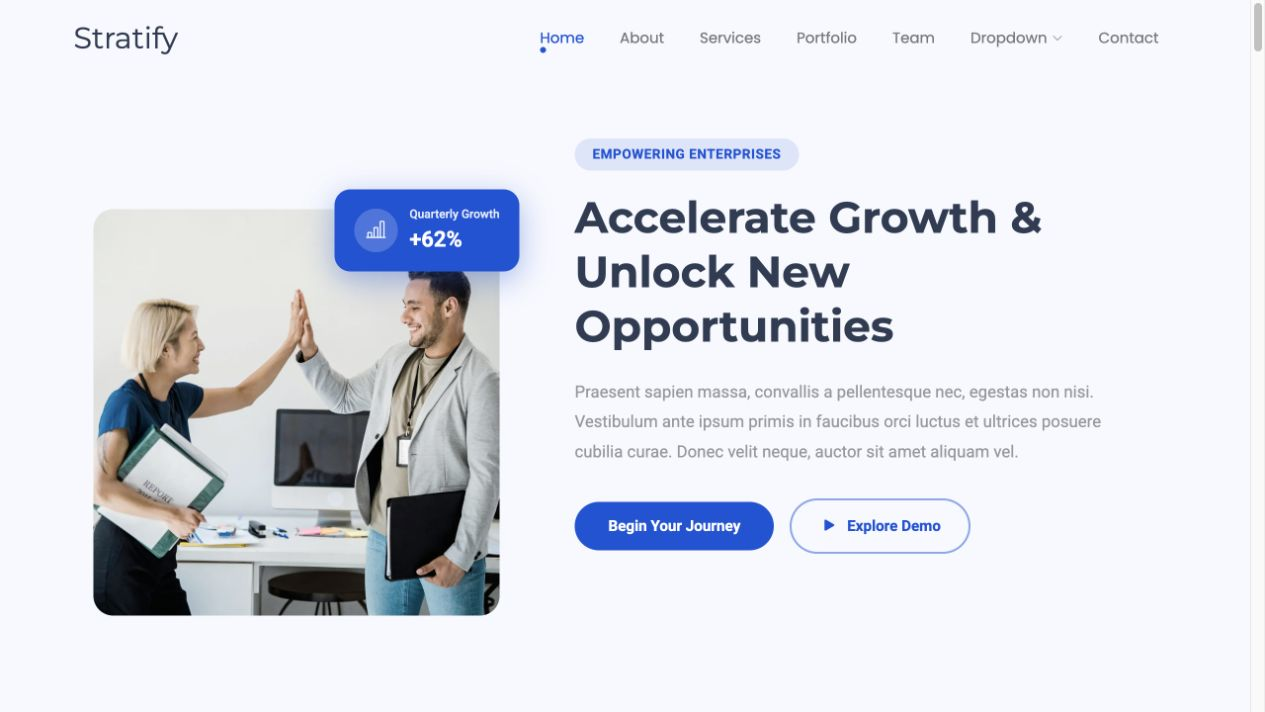
# Stratify — Machine Tool Equipment Style Reference
> A precise B2B machine-tool evaluation system with a complete local project brief and RFQ flow.

**Theme:** light

Stratify combines a white technical canvas, a decisive cobalt action color, and slate process bands to make complex equipment easier to evaluate for a project. The system uses compact labels, large editorial headings, plain-language capability summaries, and a three-step qualification journey. Every interactive state supports keyboard access, narrow screens, and local-only RFQ preparation without sending company or project data.

## Tokens — Colors

| Name | Value | Token | Role |
|------|-------|-------|------|
| Canvas | `#f4f7fb` | `--canvas` | Quiet page background behind white product surfaces |
| Paper | `#ffffff` | `--paper` | Header, cards, drawer, form, and readable foreground panels |
| Cobalt | `#0754d9` | `--blue` | Primary buttons, focus rings, labels, and selected states |
| Cobalt Dark | `#053ea3` | `--blue-dark` | Hover and pressed state for the primary action |
| Industrial Slate | `#2e3c54` | `--slate` | Process band, brief count, and technical hero panel |
| Deep Ink | `#17253d` | `--ink` | Main text and footer background |
| Steel Muted | `#617089` | `--muted` | Secondary copy and supporting specifications |
| Divider | `#ccd6e5` | `--line` | Borders, field outlines, and table rules |
| Success | `#087a55` | `--success` | Completed local RFQ confirmation |
| Danger | `#b42318` | `--danger` | Invalid field and blocked action feedback |

## Tokens — Typography

Use Inter as the shared display and body family. The hierarchy relies on weight, scale, and compact tracking instead of ornamental type: large headlines are dense and direct, while product detail remains comfortable at 16px.

### Type Scale

| Role | Family | Weight | Size | Line Height | Letter Spacing | Token |
|------|--------|--------|------|-------------|----------------|-------|
| Caption | Inter | 800 | 12px | 1.3 | 0.13em | `--text-caption` |
| Small body | Inter | 500 | 14px | 1.5 | normal | `--text-body-sm` |
| Body | Inter | 400 | 16px | 1.65 | normal | `--text-body` |
| Card heading | Inter | 750 | 20px | 1.2 | -0.02em | `--text-heading-sm` |
| Section heading | Inter | 760 | 32px | 1.08 | -0.04em | `--text-heading` |
| Display | Inter | 760 | 56px | 1.02 | -0.055em | `--text-display` |

## Tokens — Spacing & Shapes

**Density:** balanced technical procurement

### Spacing Scale

| Name | Value | Token |
|------|-------|-------|
| 1 | 4px | `--space-1` |
| 2 | 8px | `--space-2` |
| 3 | 12px | `--space-3` |
| 4 | 16px | `--space-4` |
| 6 | 24px | `--space-6` |
| 8 | 32px | `--space-8` |
| 12 | 48px | `--space-12` |
| 16 | 64px | `--space-16` |

### Border Radius

| Element | Value | Token |
|---------|-------|-------|
| Controls | 8px | `--radius-control` |
| Cards and panels | 12px | `--radius` |
| Counts and compact labels | 999px | `--radius-pill` |

### Layout

- **Page max-width:** 1180px
- **Desktop gutter:** 24px
- **Mobile gutter:** 16px
- **Hero minimum height:** 640px on wide screens and content-driven on small screens
- **Primary breakpoint:** 760px

## Components

### Header and Mobile Navigation
An 82px sticky white header holds the geometric brand mark, direct section links, and a live project-brief count. Below 760px, navigation becomes a labeled disclosure menu; opening and closing it updates `aria-expanded`, and Escape returns focus to the trigger.

### Editorial Project Hero
A two-column first screen pairs a project-oriented headline with a slate evaluation panel. The panel uses oversized numeric form, restrained rules, and short qualification rows without relying on photography.

### Equipment Capability Cards
Three white cards present a category code, equipment family, application scope, decision criteria, and full-width Add to project brief action. Selection changes the brief state immediately and opens a reviewable RFQ path focused on application fit.

### Qualification Process Band
A slate full-width band explains evaluate, shortlist, and prepare in three equal steps. Cobalt-tinted step numbers establish sequence while keeping paragraph contrast high.

### Local Project Brief and RFQ
The right-side drawer begins empty with RFQ preparation disabled. Adding an equipment family reveals its name and project role, then enables a labeled RFQ form. Company, email, and requirement fields validate locally, produce an explicit completion message, and never perform a network submission.

### Footer
A deep-ink footer repeats the demonstration boundary in plain language and keeps only useful navigation, privacy, and local-RFQ notes.

## Do's and Don'ts

### Do
- Keep cobalt for primary decisions, visible focus, and selected states.
- Present one application summary and one clear Add to project brief action per equipment card.
- Disable RFQ preparation until the project brief contains a named equipment family.
- Preserve the full local sequence: shortlist, inspect, validate, confirm, and reset.
- Reflow the product and process grids to one column below 760px.
- Respect reduced-motion preferences and restore focus after every overlay closes.

### Don't
- Don't add transactional controls or unverified commercial terms.
- Don't enable RFQ preparation while the project brief is empty.
- Don't use unlabelled icon-only controls or hide focus outlines.
- Don't add unsupported performance, stock, delivery, rating, or warranty claims.
- Don't introduce decorative gradients, glass effects, or excessive shadows.
- Don't mix more than one display family and one body family.

## Surfaces

| Level | Name | Value | Purpose |
|-------|------|-------|---------|
| 0 | Technical Canvas | `#f4f7fb` | Page background and breathing space |
| 1 | Paper Surface | `#ffffff` | Equipment cards, navigation, brief, and form |
| 2 | Slate Process | `#2e3c54` | Hero data panel and qualification-process band |
| 3 | Deep Ink Footer | `#17253d` | Closing navigation and legal boundary |

## Elevation

Equipment cards are flat by default with a 1px divider. Hover may add `0 18px 50px rgb(23 37 61 / 10%)`; the project-brief drawer uses a stronger horizontal shadow to separate it from the backdrop. Buttons remain flat and communicate state through color rather than motion.

## Imagery

Favor licensed close crops of machine controls, spindle housings, metal fixtures, and clean work surfaces under cool neutral light. Maintain 3:2 or 4:3 crops, avoid visible trademarks, and keep any cobalt overlay below 16% opacity. The abstract technical panel is the preferred no-image fallback.

## Layout

The page follows a clear procurement sequence: sticky header, split hero, three-card equipment grid, three-step qualification band, local project-brief drawer, and compact footer. Wide layouts use an 1180px centered shell. At 760px the hero, cards, process steps, and footer stack in DOM order; buttons remain at least 48px high and no horizontal scrolling is permitted.

## Agent Prompt Guide

**Quick Color Reference**
- Background: `#f4f7fb` technical canvas and `#ffffff` cards
- Text: `#17253d` primary and `#617089` secondary
- Border: `#ccd6e5`
- Accent: `#0754d9`; hover `#053ea3`
- Process surface: `#2e3c54`

**Example Component Prompts**
1. Create a three-card B2B equipment grid on a white surface. Each 12px-radius card needs a 12px cobalt category code, 20px equipment-family name, concise application copy, decision criteria, and a 48px full-width Add to project brief button.
2. Create a right-side local project-brief drawer with a dim backdrop. Its empty state disables RFQ preparation; its filled state shows the equipment family, project role, remove control, and enabled RFQ form.
3. Create a slate process band with three numbered steps. Use white headings, pale supporting text, cobalt-tinted numbers, and 1px translucent top rules.
4. Create a compact RFQ form with visible company, email, and requirement labels, 46px fields, inline validation, a local completion message, and no form action or remote request.

## Similar Brands

- **Haas Automation** — Direct machine-family hierarchy, compact technical summaries, and project-led conversion.
- **DMG MORI** — Editorial industrial imagery paired with disciplined specification and application structure.
- **Mazak** — Clear equipment segmentation and a strong path from application context to technical contact.
- **Okuma** — Restrained industrial color, dense capability information, and service-oriented project entry points.

## Quick Start

The implementation block is a complete standalone foundation for the blank-template test. It includes tokens, page components, drawer states, focus treatment, and responsive rules.

### CSS Custom Properties

```css
:root {
  --canvas: #f4f7fb;
  --paper: #ffffff;
  --blue: #0754d9;
  --blue-dark: #053ea3;
  --slate: #2e3c54;
  --ink: #17253d;
  --muted: #617089;
  --line: #ccd6e5;
  --success: #087a55;
  --danger: #b42318;
  --font-display: 'Inter', ui-sans-serif, system-ui, sans-serif;
  --font-body: 'Inter', ui-sans-serif, system-ui, sans-serif;
  --text-caption: 12px;
  --text-body-sm: 14px;
  --text-body: 16px;
  --text-heading-sm: 20px;
  --text-heading: 32px;
  --text-display: 56px;
  --space-1: 4px;
  --space-2: 8px;
  --space-3: 12px;
  --space-4: 16px;
  --space-6: 24px;
  --space-8: 32px;
  --space-12: 48px;
  --space-16: 64px;
  --layout-max: 1180px;
  --gutter: 24px;
  --radius: 12px;
  --radius-control: 8px;
  --radius-pill: 999px;
  --hero-min-height: 640px;
  --shadow-card: 0 18px 50px rgb(23 37 61 / 10%);
}

* { box-sizing: border-box; }
html { scroll-behavior: smooth; }
body { margin: 0; min-width: 320px; background: var(--canvas); color: var(--ink); font: 400 var(--text-body)/1.65 var(--font-body); }
body.is-locked { overflow: hidden; }
[hidden] { display: none !important; }
img { display: block; max-width: 100%; }
button, input { font: inherit; }
button, a { -webkit-tap-highlight-color: transparent; }
a { color: inherit; }
:focus-visible { outline: 3px solid var(--blue); outline-offset: 3px; }
.skip-link { position: fixed; z-index: 200; top: var(--space-3); left: var(--space-3); padding: var(--space-2) var(--space-4); background: var(--ink); color: var(--paper); transform: translateY(-180%); }
.skip-link:focus { transform: none; }
.shell { width: min(calc(100% - (2 * var(--gutter))), var(--layout-max)); margin-inline: auto; }
.eyebrow { margin: 0 0 var(--space-3); color: var(--blue); font-size: var(--text-caption); font-weight: 800; letter-spacing: .13em; text-transform: uppercase; }
.button { display: inline-flex; min-height: 48px; align-items: center; justify-content: center; gap: var(--space-4); border: 1px solid transparent; border-radius: var(--radius-control); padding: 11px 18px; background: var(--blue); color: var(--paper); font-weight: 750; text-decoration: none; cursor: pointer; }
.button:hover { background: var(--blue-dark); }
.button:disabled { background: #9aa8ba; cursor: not-allowed; }
.button--quiet { border-color: var(--line); background: var(--paper); color: var(--ink); }
.button--quiet:hover { border-color: var(--blue); background: #eaf1ff; }

.site-header { position: sticky; z-index: 40; top: 0; border-bottom: 1px solid var(--line); background: rgb(255 255 255 / 94%); backdrop-filter: blur(12px); }
.header-row { display: flex; min-height: 82px; align-items: center; justify-content: space-between; gap: var(--space-6); }
.brand { display: inline-flex; align-items: center; gap: 10px; font-weight: 850; letter-spacing: -.04em; text-decoration: none; }
.brand-mark { display: grid; width: 31px; height: 31px; place-items: center; border-radius: 7px; background: var(--blue); color: var(--paper); font-size: 13px; }
.nav { display: flex; align-items: center; gap: var(--space-6); }
.nav a { font-size: var(--text-body-sm); font-weight: 700; text-decoration: none; }
.brief-trigger, .menu-trigger, .icon-button { border: 0; background: transparent; color: var(--ink); font-weight: 750; cursor: pointer; }
.brief-count { display: inline-grid; min-width: 24px; height: 24px; margin-left: 6px; place-items: center; border-radius: var(--radius-pill); background: var(--slate); color: var(--paper); font-size: 12px; }
.menu-trigger { display: none; border: 1px solid var(--line); border-radius: var(--radius-control); padding: 8px 11px; }

.hero { display: grid; min-height: var(--hero-min-height); grid-template-columns: 1.03fr .97fr; gap: clamp(36px, 6vw, 88px); align-items: center; padding-block: var(--space-16); }
.hero h1 { max-width: 720px; margin: 0; font: 760 clamp(44px, 6vw, var(--text-display))/1.02 var(--font-display); letter-spacing: -.055em; }
.hero h1 span { color: var(--blue); }
.hero-copy > p:not(.eyebrow) { max-width: 620px; margin: var(--space-6) 0; color: var(--muted); }
.hero-actions { display: flex; flex-wrap: wrap; gap: var(--space-3); }
.hero-panel { min-height: 430px; border-radius: 28px 28px var(--radius) var(--radius); padding: var(--space-8); background: var(--slate); color: var(--paper); box-shadow: var(--shadow-card); }
.hero-panel strong { display: block; margin-top: 70px; color: #86adff; font-size: 96px; letter-spacing: -.09em; line-height: .85; }
.hero-visual { margin: var(--space-8) 0 0; overflow: hidden; border: 1px solid rgb(255 255 255 / 24%); border-radius: var(--radius); background: #20304d; }
.hero-visual img { width: 100%; height: 180px; object-fit: cover; }
.hero-panel ul { display: grid; gap: var(--space-3); margin: var(--space-8) 0 0; padding: 0; list-style: none; }
.hero-panel li { display: flex; justify-content: space-between; border-top: 1px solid rgb(255 255 255 / 25%); padding-top: var(--space-3); }

.section { padding-block: 96px; }
.section--paper { background: var(--paper); }
.section-heading { display: grid; grid-template-columns: .7fr 1.3fr; gap: var(--space-8); margin-bottom: var(--space-12); }
.section-heading h2 { max-width: 700px; margin: 0; font: 760 clamp(34px, 5vw, 52px)/1.06 var(--font-display); letter-spacing: -.045em; }
.section-heading p:last-child { max-width: 560px; margin: var(--space-4) 0 0; color: var(--muted); }
.product-grid { display: grid; grid-template-columns: repeat(3, 1fr); gap: var(--space-4); }
.product-card { display: flex; min-height: 370px; flex-direction: column; border: 1px solid var(--line); border-radius: var(--radius); padding: var(--space-6); background: var(--paper); }
.product-card:hover { border-color: var(--blue); box-shadow: var(--shadow-card); }
.product-code { color: var(--blue); font-size: var(--text-caption); font-weight: 800; letter-spacing: .12em; }
.product-card h3 { margin: var(--space-6) 0 var(--space-2); font-size: var(--text-heading-sm); }
.product-card p { margin: 0; color: var(--muted); }
.decision-list { display: grid; gap: var(--space-2); margin: auto 0 var(--space-4); padding: var(--space-8) 0 0; color: var(--muted); font-size: var(--text-body-sm); }
.decision-list span::before { content: '—'; margin-right: var(--space-2); color: var(--blue); }
.product-card .button { width: 100%; }

.process { background: var(--slate); color: var(--paper); }
.process-grid { display: grid; grid-template-columns: repeat(3, 1fr); gap: var(--space-4); }
.process-card { border-top: 1px solid rgb(255 255 255 / 30%); padding: var(--space-6) 0; }
.process-card b { color: #8eb3ff; }
.process-card h3 { margin: var(--space-4) 0 var(--space-2); }
.process-card p { margin: 0; color: #d7deea; }

.brief-drawer { position: fixed; z-index: 90; top: 0; right: 0; width: min(470px, 100%); height: 100dvh; overflow-y: auto; padding: var(--space-8); background: var(--paper); box-shadow: -20px 0 60px rgb(23 37 61 / 24%); }
.brief-backdrop { position: fixed; z-index: 80; inset: 0; background: rgb(23 37 61 / 68%); }
.drawer-head { display: flex; align-items: center; justify-content: space-between; }
.drawer-head h2 { margin: 0; font-size: var(--text-heading); }
.icon-button { display: grid; width: 42px; height: 42px; place-items: center; border: 1px solid var(--line); border-radius: var(--radius-control); font-size: 22px; }
.brief-empty { margin: var(--space-12) 0; color: var(--muted); }
.brief-line { display: grid; grid-template-columns: 1fr auto; gap: var(--space-2); border-block: 1px solid var(--line); padding-block: var(--space-6); }
.brief-line p { grid-column: 1 / -1; margin: 0; color: var(--muted); }
.brief-line strong { font-size: var(--text-heading-sm); }
.remove-item { grid-column: 1 / -1; width: fit-content; border: 0; padding: 0; background: transparent; color: var(--blue); font-weight: 750; cursor: pointer; }
.brief-summary { display: flex; justify-content: space-between; margin: var(--space-8) 0; font-size: var(--text-heading-sm); }
.brief-drawer > .button { width: 100%; }
.rfq-form { display: grid; gap: var(--space-4); margin-top: var(--space-8); border-top: 1px solid var(--line); padding-top: var(--space-8); }
.rfq-form label { display: grid; gap: var(--space-2); font-size: var(--text-body-sm); font-weight: 700; }
.rfq-form input, .rfq-form textarea { min-height: 46px; border: 1px solid var(--line); border-radius: var(--radius-control); padding: 10px 12px; font: inherit; }
.rfq-form textarea { min-height: 100px; resize: vertical; }
.rfq-status { min-height: 25px; margin: 0; color: var(--success); font-weight: 700; }
.rfq-status.is-error { color: var(--danger); }
.rfq-note { color: var(--muted); font-size: var(--text-caption); }

.site-footer { padding-block: var(--space-8); background: var(--ink); color: var(--paper); }
.footer-row { display: flex; justify-content: space-between; gap: var(--space-6); font-size: var(--text-body-sm); }

@media (max-width: 760px) {
  :root { --gutter: 16px; --hero-min-height: 0px; }
  .header-row { min-height: 70px; }
  .menu-trigger { display: inline-flex; }
  .nav { position: absolute; top: 70px; right: 0; left: 0; align-items: stretch; flex-direction: column; border-bottom: 1px solid var(--line); padding: var(--space-6) var(--gutter); background: var(--paper); }
  .nav:not(.is-open) { display: none; }
  .hero { grid-template-columns: 1fr; gap: var(--space-8); padding-block: var(--space-12); }
  .hero h1 { font-size: 44px; }
  .hero-panel { min-height: 300px; }
  .hero-panel strong { margin-top: var(--space-8); font-size: 72px; }
  .section { padding-block: var(--space-16); }
  .section-heading, .product-grid, .process-grid { grid-template-columns: 1fr; }
  .section-heading { gap: var(--space-3); }
  .product-card { min-height: 320px; }
  .footer-row { flex-direction: column; }
}

@media (prefers-reduced-motion: reduce) {
  html { scroll-behavior: auto; }
  *, *::before, *::after { scroll-behavior: auto !important; transition-duration: .01ms !important; animation-duration: .01ms !important; }
}
```

The Tailwind block exposes the same visual system without duplicating component behavior.

### Tailwind v4

```css
@theme {
  --color-canvas: #f4f7fb;
  --color-paper: #ffffff;
  --color-brand: #0754d9;
  --color-brand-dark: #053ea3;
  --color-slate: #2e3c54;
  --color-ink: #17253d;
  --color-muted: #617089;
  --color-line: #ccd6e5;
  --color-success: #087a55;
  --color-danger: #b42318;
  --font-display: 'Inter', ui-sans-serif, system-ui, sans-serif;
  --font-body: 'Inter', ui-sans-serif, system-ui, sans-serif;
  --text-caption: 12px;
  --text-body-sm: 14px;
  --text-body: 16px;
  --text-heading-sm: 20px;
  --text-heading: 32px;
  --text-display: 56px;
  --spacing-1: 4px;
  --spacing-2: 8px;
  --spacing-3: 12px;
  --spacing-4: 16px;
  --spacing-6: 24px;
  --spacing-8: 32px;
  --spacing-12: 48px;
  --spacing-16: 64px;
  --radius-control: 8px;
  --radius-card: 12px;
}
```